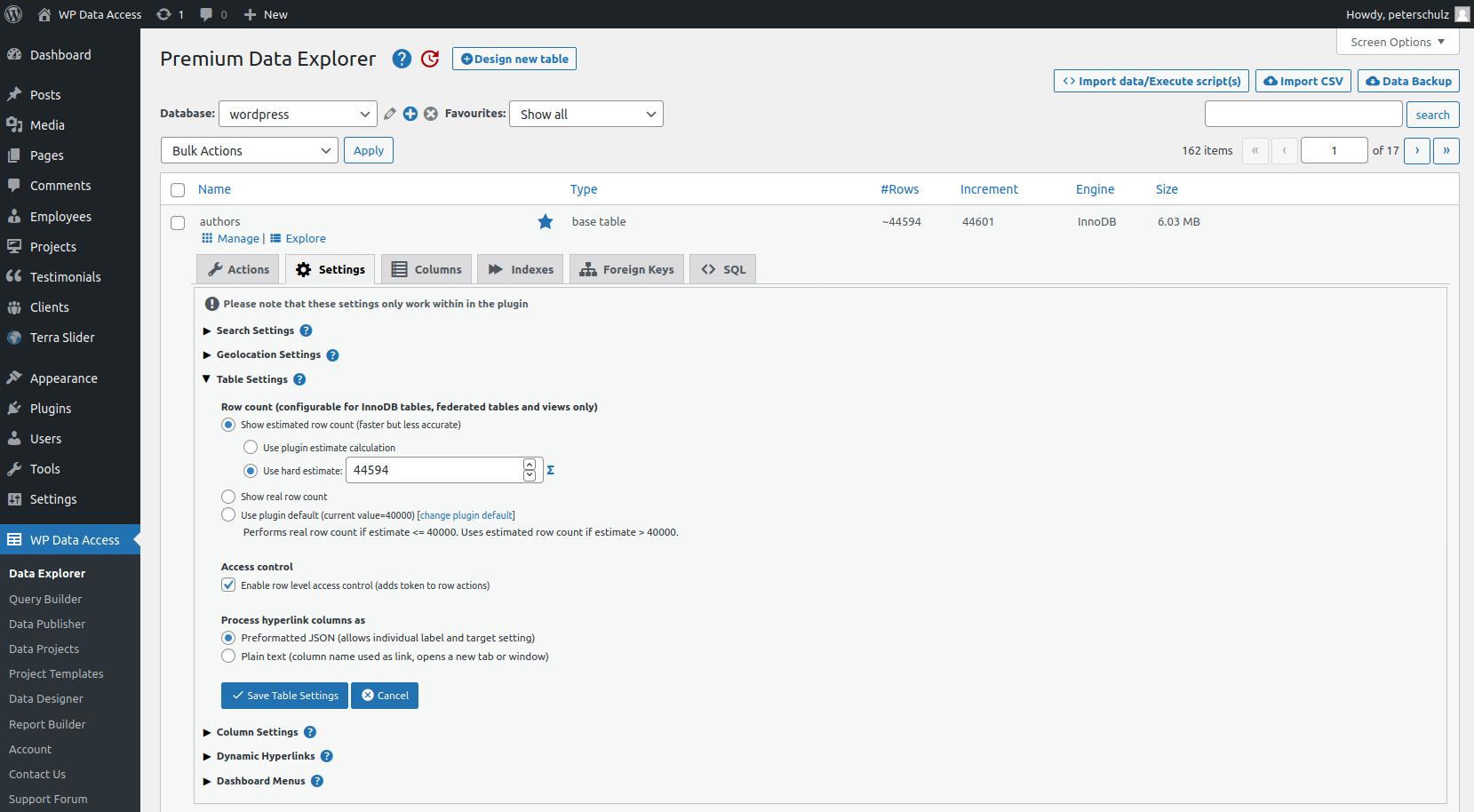
- Row count (use estimation to improve performance)
- Row level access control (to improve security)
- Process hyperlink columns
Row count #
Tables are using pagination by default. Although pagination improves the user experience, it slows down performance, especially for large tables. Pagination requires counting:
- All table rows
- All matching table rows
To improve the performance of queries on large tables the pagination features was optimized in version 4.2 and does no longer require to count all table rows on each request:
- For MyISAM tables the table row count is taken from the MySQL data dictionary
- For InnoDB tables and views (including system views) the row count is taken from the MySQL data dictionary if:
- The estimated table row count exceeds the Max row count, or:
- This is defined for a specific table
As a result the row count for InnoDB tables and views might be an estimate instead of the real row count. Whenever a estimate is given, the ~ character is show in front of the table row count (see image above #Rows – click to enlarge). The estimate can be calculated by the plugin or a hard estimate.
- Change the Max row count (> Settings > WP Data Access > Back-end > Max row count)
- Change the behaviour of specific tables (see image above Row count – click to enlarge)
Row level access control #
The plugin uses table access control by default. Table access control prevents unauthorized table editing. If a user has no access to a specific table (project), the user will not be allowed to access the page and edit the table.
For most use cases table level access control is sufficient. For projects using user-sensitive data, row-level access control can be enabled. This prevents users editing the same table from overwriting each other’s data. An example is a student profile page or an affiliates page.
Row-level access control can be used to create links to data entry forms (in a dynamic hyperlink for example). For row-level access control an additional authorization step is required. The plugin needs an additional wpnonce to allow users to access the data entry form for a specific table row. The format for the wpnonce is:
wpda-row-level-security-{$table_name}{$keys}- $table_name = table name
- $keys = key list and key values which the user is allowed to edit
foreach ( $this->wpda_list_columns->get_table_primary_key() as $key ) {
	$keys .= "-{$key}-" . get_key_value( $key );
}
Process hyperlink columns #
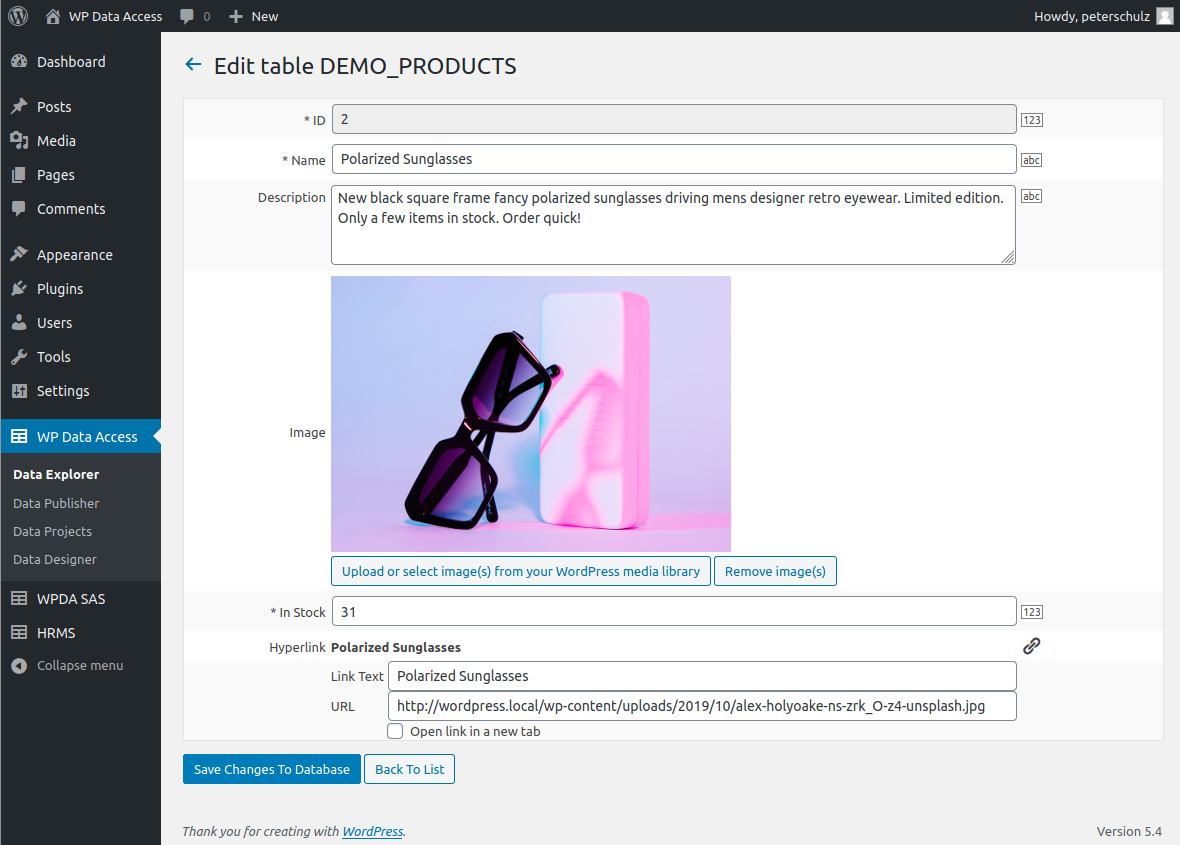
If hyperlinks are stored in JSON format, a hyperlink column contains a hyperlink label, url and target. A hyperlink column must be large enough to store the whole JSON string. If hyperlinks are stored in TEXT format, the full URL is entered in plain text.
When a column is set to hyperlink and is stored in JSON format, the column shows a link icon on the data entry (behind the hyperlink column) and allows to enter a label, url and target (see image below – click to enlarge). When stored as plain TEXT it is represented as a normal text field.