
Global styling is the simplest way to style your data tables. A global style is defined once to style all data tables on your website and ensure a consist layout. Custom CSS can be added to a global style using Code Manager styling or manual styling.
Activate a global style #
- Go to Plugin Settings
- Tab Data Tables
- Select a publication style (see image below)
- Save publication settings
The selected default style will be applied to all data tables on your website!
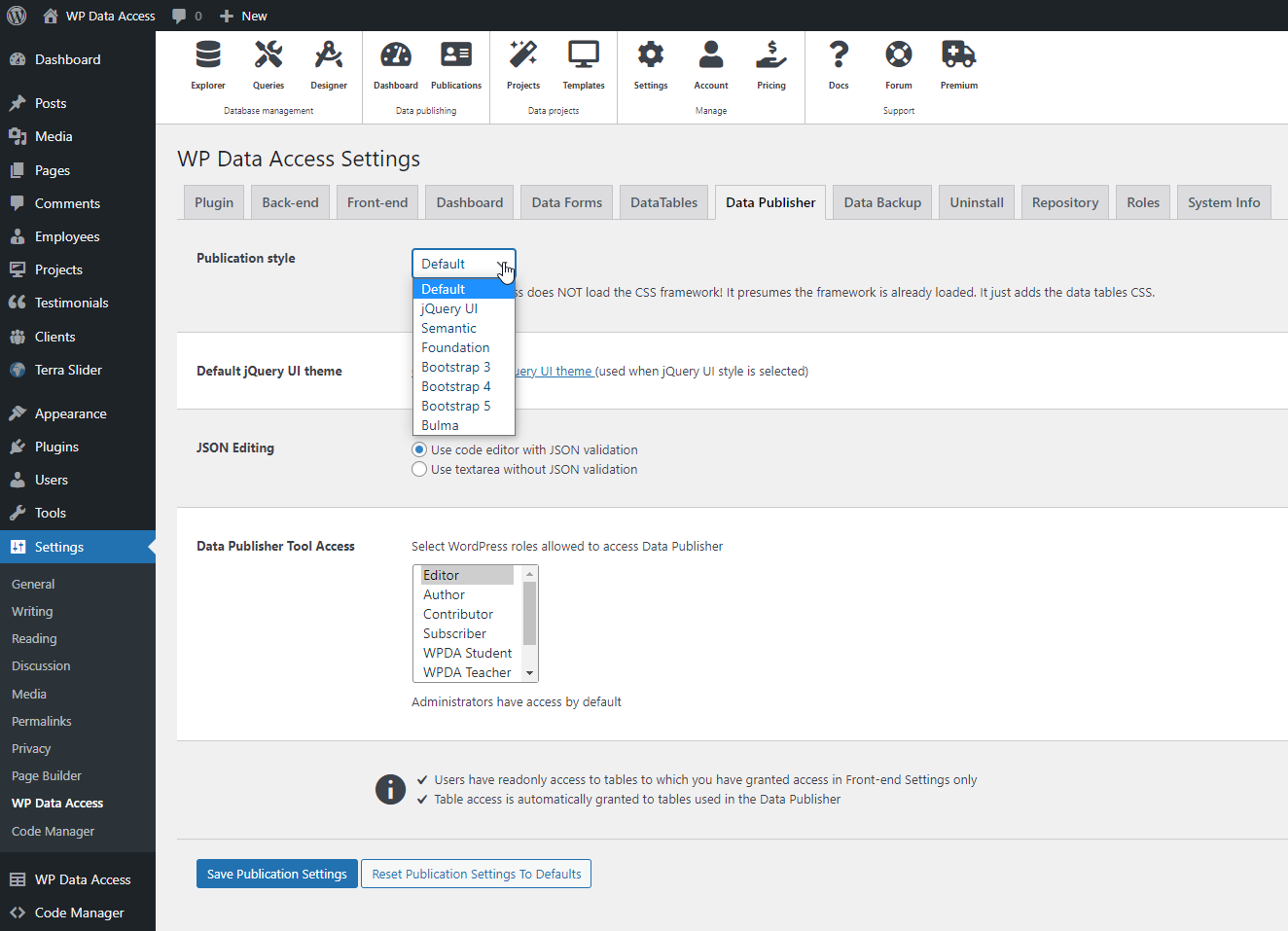
When jQuery UI is selected as the default style, a default jQuery UI theme can be selected to further personalize styling.
Add jQuery UI Theme #
- Go to Plugin Settings
- Tab Front-end
- Select a jQuery UI theme (see image below)
- Save front-end settings
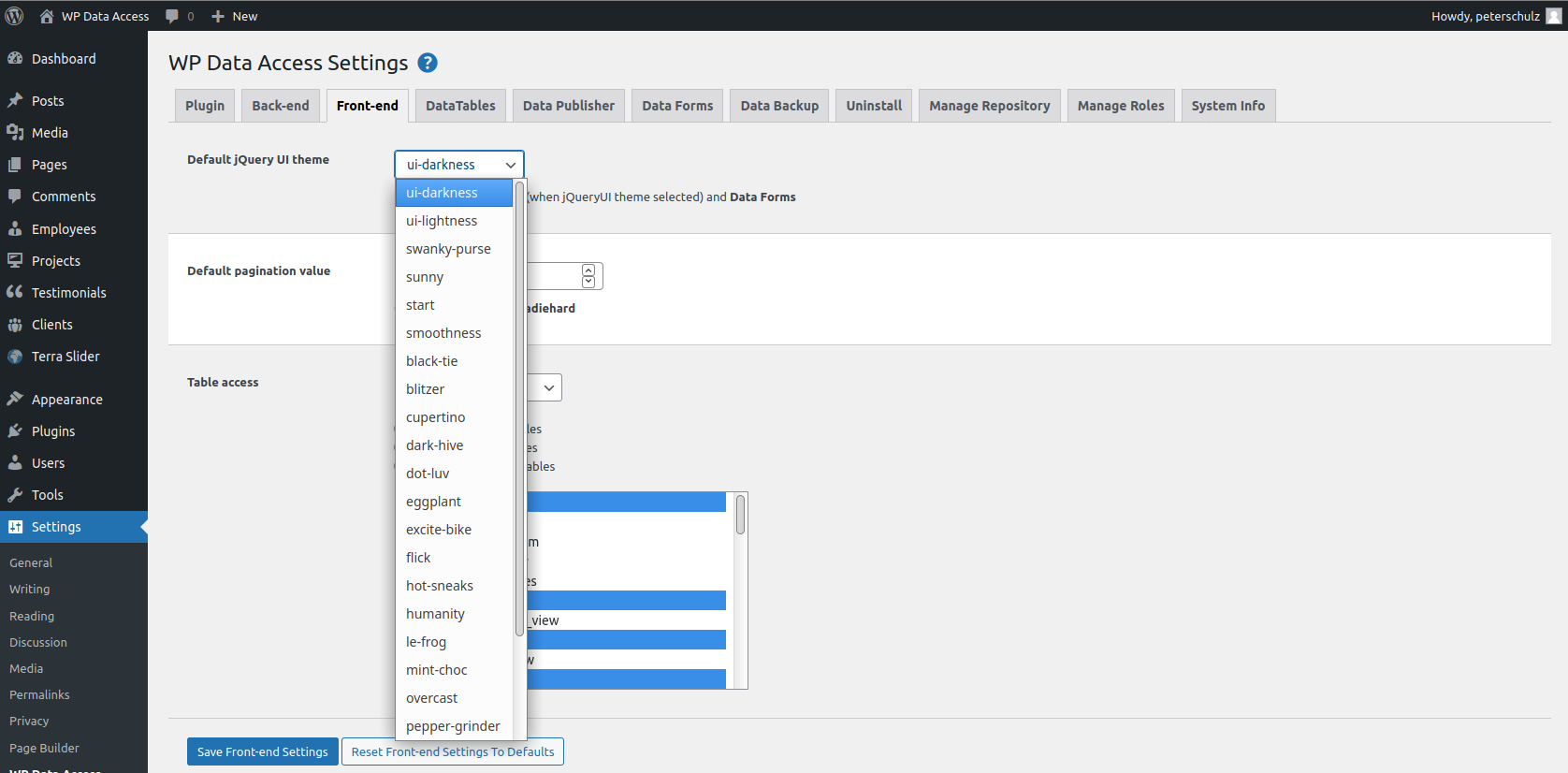
The selected jQuery UI theme will be applied to all data tables and data forms on your website.
Notes #
- Global styling is a premium feature
- Do not combine premium and global styling
- You can have only one global style
- Combining global styles is not possible