
There are three ways to add a filter to a Data Project
- Default where clause
- Shortcode parameters
- URL parameters
Default where clause #
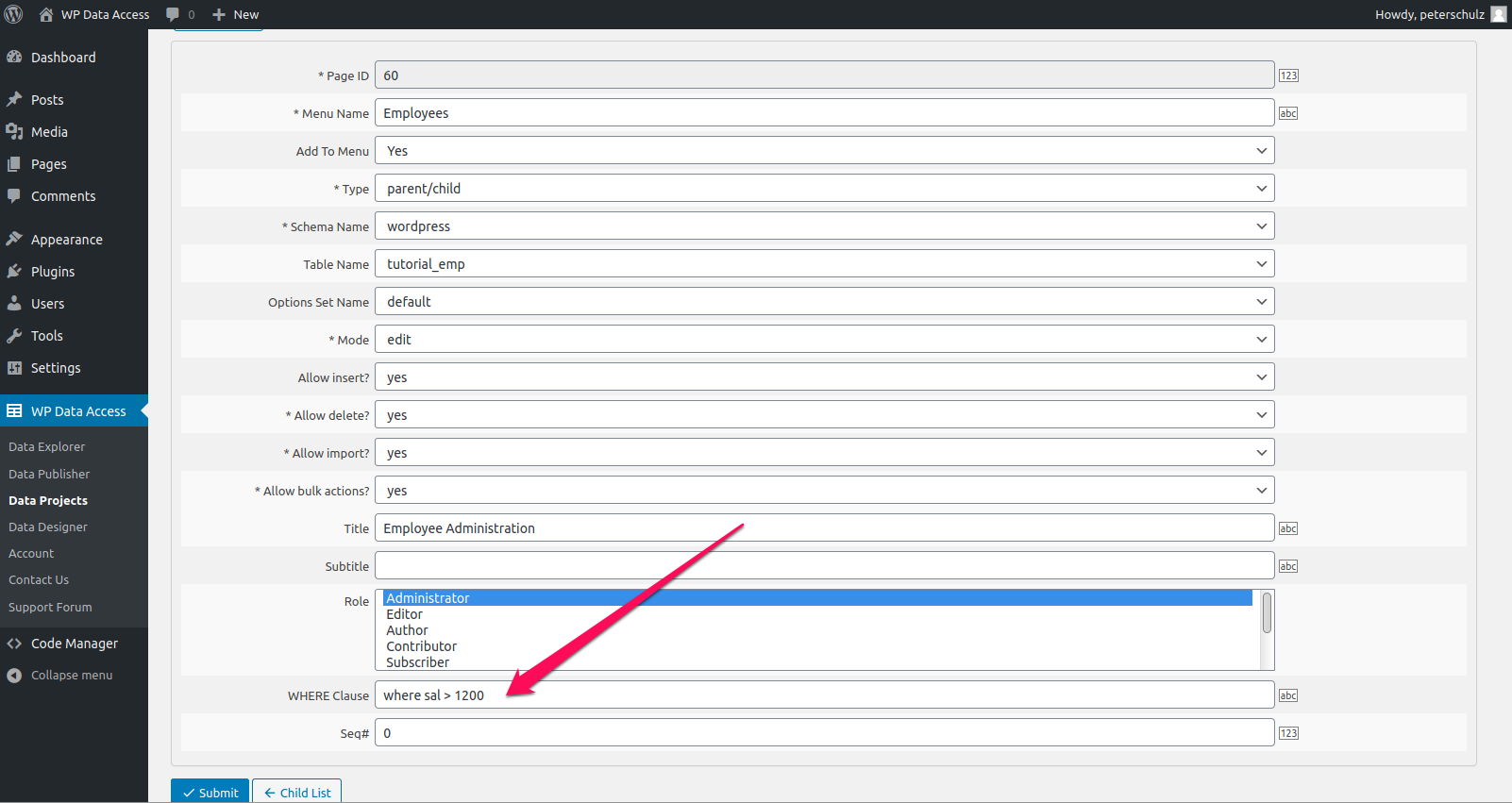
Shortcode parameters #
Shortcode parameters are available for shortcode wpdadiehard only. These parameters are not available for shortcodes wpdadataproject and wpdadataforms.
Shortcode wpdadiehard provides the following two parameters to filter data:
- filter_field_name (field name(s) to be filtered)
- filter_field_value (field value(s) to filter, performs a LIKE and therefor allows wildcards)
Example of a filter for one specific column:
[wpdadiehard project_id="8" page_id="43" filter_field_name="lastname" filter_field_value="jose%25"]For filters containing multiple column names and values, use a comma-separated value and make sure the array size of filter_field_name and filter_field_value are the same.
For example:
[wpdadiehard project_id="6" page_id="31" filter_field_name="job,ename" filter_field_value="president,ford"]The filter allows to use % as a wildcard as shown in the single column filter example. These filter parameters do not support operators like IN, OR, NOT, >, < and so on. Please use the default where clause to use these operators and more complex filters.
URL parameters #
To add a filter on a specific table column you can add an URL argument to your request that follows the following name convention:
wpda_search_column_<column_name>
Example (GET and POST)
YOUR-URL/?wpda_search_column_first_name=Sacha<input name="wpda_search_column_first_name" type="text" value="Sacha" />Adds condition
first_name = 'Sacha'Wilcards are supported in URL parameters as well
YOUR-URL/?wpda_search_column_title=Last%25IN conditions #
Use arrays to filter a column on multiple values (allows wildcard usage as well). For example:
YOUR-URL/?wpda_search_column_first_name[0]=Sacha&wpda_search_column_first_name[1]=PeterAdds condition
first_name in ('Sacha', 'Peter')OR conditions #
Use parameter wpda_search_column_operator to compare using OR instead of AND. The plugin uses AND by default.
Example AND (default) #
YOUR-URL/?wpda_search_column_first_name=Sacha&wpda_search_column_last_name=SchulzAdds condition
first_name = 'Sacha' AND last_name = 'Peter'Example OR #
YOUR-URL/?wpda_search_column_first_name=Sacha&wpda_search_column_last_name=Schulz&wpda_search_column_operator=orAdds condition
first_name = 'Sacha' OR last_name = 'Peter'It is currently not possible to combine AND and OR conditions with URL parameters.